> For the complete documentation index, see [llms.txt](https://docs.qapilot.io/llms.txt). Markdown versions of documentation pages are available by appending `.md` to page URLs; this page is available as [Markdown](https://docs.qapilot.io/integrations/microsoft-teams.md).
# Microsoft Teams
Integrate Microsoft Teams with QApilot using webhooks, then send test plan, case, and step notifications to mapped channels during execution.
## Prerequisites
* Teams Incoming Webhook URL for **QApilot**. For more information, refer to [Create an incoming MS Team webhook](https://docs.microsoft.com/en-us/microsoftteams/platform/webhooks-and-connectors/how-to/add-incoming-webhook).
## Steps to Integrate Microsoft Teams with QApilot
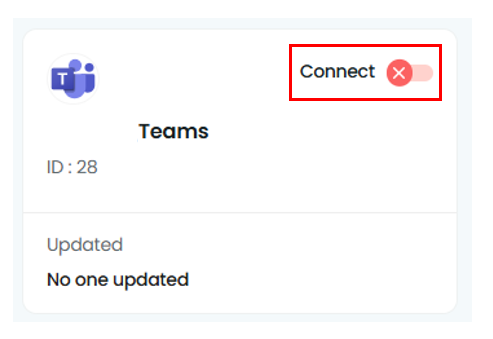
1. Navigate to Settings > Integrations. Enable toggle on MS Teams widget.
2. Connect to Microsoft Teams to manage all your team communications instantly.
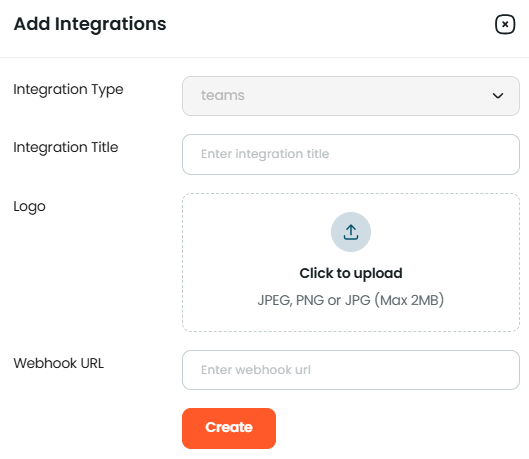
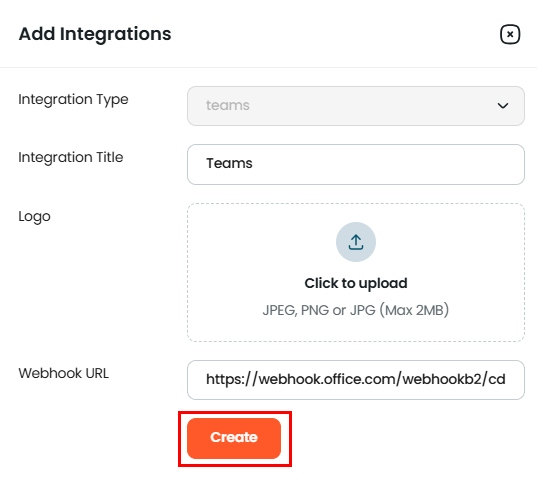
3. Enter all the details to Create a Teams integration Type.
4. A Teams Webhook URL is a unique URL provided by Microsoft Teams to allow external applications and services to send messages directly to a specific Teams channel. This enables seamless integration between Teams and other systems, allowing real-time notifications, updates, or alerts to be posted automatically in a Teams channel without the need for full API integration.
***
## Enabling MS Teams Notifications in the Test Plan
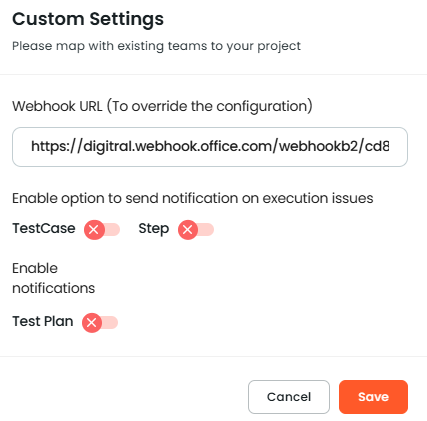
1. Once the MS Teams integration is added, you can enable the MS Teams notifications for your test plans.
2. Please map existing teams to your project. Enter Assignee. Enable the option to send notifications on execution issues TestCase, Step, and Test Plan. Click on the Save button.